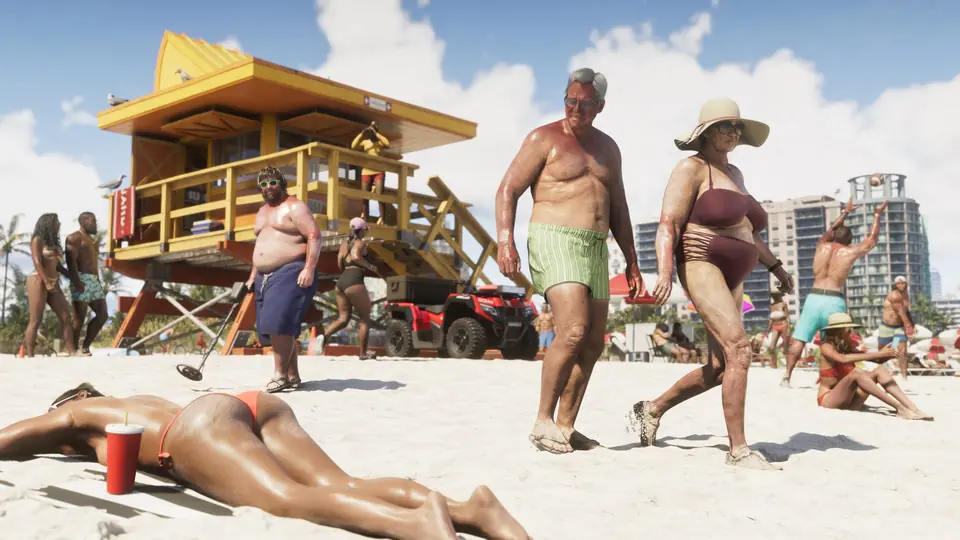
GTA 6 has a full photo mode from day one. Red Dead Redemption 2 only got one later, with its PC release (IGN). Photo mode is one of the most talked-about features on r/GTA6 and r/GTAVI since launch, with threads such as "I've spent way too much time in photo mode" (r/GTA6). This page shows how to open it, every setting players have listed, its limits, and the simpler Snapmatic camera in the phone. No story spoilers on this page.
How to open photo mode#
- Pause the game.
- Press Square on PS5 or X on Xbox (IGN).
- To leave, press Back. Save photo keeps the picture with the in-game capture. Hide UI removes the menus if you want to use your console's own screenshot button (r/GTAVI settings list).
Some photo mode functions do not work during cutscenes (r/GTAVI settings list).
What IGN confirms#
IGN's Simon Cardy finished the story in 70 hours and used photo mode along the way. He confirms aspect ratios, aperture and depth of field for the camera, lights such as spotlights, floodlights and softboxes that you can place in the scene, and post-processing tools with filters (IGN).
Every setting players have listed#
Unconfirmed This list comes from a community post that pieced the menus together from several videos on launch day, Nov 18. We have not checked each item in-game (r/GTAVI settings list). Photo mode has four tabs: Camera, Effects, Lighting and Overlays.
Camera tab
| Setting | What it does (as listed) |
|---|---|
| Camera speed | How fast the camera moves |
| Grid | Rule-of-thirds overlay |
| Roll | Tilts the camera up to 90 degrees either way |
| Aspect ratio | 16:9, 1.85:1, 2:1, 2.35:1, 4:3, 1:1, 4:5 and 9:16 |
| Field of view | Widest shot is 49.6 degrees |
| Depth of field | Adds a focal plane (background blur) |
| Aperture | With depth of field on, from f1.3 to f18 |
| Focus distance | From 0.44 m to 19.78 m |
| Focus guide | Overlay that shows what is in focus |
| Character | Hides or shows your character |
Zoom, Move (pan, orbit and crane), Angle, Reset camera and Restore default work on every tab.
Effects tab
| Setting | What it does (as listed) |
|---|---|
| Exposure | Overall brightness |
| Contrast | Brights brighter, darks darker |
| Highlights / Shadows | Only the bright or only the dark areas |
| Saturation | Colour strength |
| Sharpness | Image definition |
| Grain | Adds film texture |
| Temperature | Cool (blue) to warm (yellow) |
| Tint | Green to magenta |
| Gamma | Brightness and contrast together |
| Lens flare | Light streak strength |
| Bloom | Glow strength |
| Chromatic aberration | Colour fringing |
Lighting tab
You can place up to 6 staging lights. Guides on screen show where each light is and where it points (r/GTAVI settings list).
| Setting | What it does (as listed) |
|---|---|
| Preset | Picks the light type and adds it |
| Visibility | Turns the light on or off |
| Intensity | 0 to 100 |
| Inner / outer beam angle | The soft fill and the outer shape of the light cone |
| Mode | Lights everything, only characters, or only the environment |
| Range | How far the light reaches |
| Hue / Saturation | The light's colour and how strong it is |
Overlays tab
| Setting | What it does (as listed) |
|---|---|
| Gameplay effects | Shows the current in-game effects |
| Filter | 17 filters: colour grades, light leaks and visual effects |
| Vignette | 0 to 100, darkens the edges only |
| Colour isolation | Keeps one colour channel (red, green or blue) |
| Colour isolation intensity | How strong that effect is |
Limits players and IGN found#
- No posing. You cannot move Jason and Lucia into new poses or change their faces. IGN hopes a future update adds this (IGN).
- Short camera range. A player on r/GTAVI says the camera stays close to your character, like in RDR2. It orbits around the character instead of flying free, so some low shots are hard to get (r/GTAVI).
- Field of view. The same player says the field of view stops at about 49 degrees, which matches the 49.6 degree maximum in the settings list.
Snapmatic: the phone camera#
The in-game phone has a simpler camera app, Snapmatic. The community list says it has a light toggle, grid, selfie, zoom and the same 17 filters (r/GTAVI settings list).
- Snapmatic posts can start missions. IGN says scrolling the in-game social media can show missions you might miss: a farmer's post looking for a pilot put a marker on the map. GameSpot says liking someone's Snapmatic post can start a quest chain, and the event in a photo is happening when you go to its marked spot (IGN on X, GameSpot on X). IGN found the Dodo Rising side group through Snapmatic (IGN on X).
- Pull over first. Polygon's writer hit cars and pedestrians while using Snapmatic at the wheel, because the phone covers much of the windshield (Polygon via X).
- Getting phone photos off the console. A player with 20 hours says phone photos do not show up in the PlayStation gallery and the only option is to delete them (r/GTAVI). No source has shown a way to export them yet. To keep a shot, use photo mode with Hide UI and your console's screenshot button.
Player tips from the photo threads#
- Auto drive plus photo mode. Players turn on auto drive, then pause into photo mode for driving shots (r/GTAVI). See hidden features for how auto drive works.
- Browse what others made: "Happy GTA 6 Day (shots in photomode PS5 Pro)" (r/GTA6), "I've spent way too much time in photo mode" (r/GTA6), "The photo mode is awesome" (r/GTA6) and the funny side of the phone: "Snapmatic is NOT for the weak" (r/GTA6).
See also: first-person view and camera, best settings and hidden features.
FAQ#
- Does GTA 6 have a photo mode? Yes, from launch. IGN calls it a full-fledged photo mode.
- How do you open photo mode in GTA 6? Pause the game, then press Square on PS5 or X on Xbox.
- Can you pose Jason and Lucia in photo mode? No. You cannot change their poses or faces yet.
- How many filters does GTA 6 photo mode have? The community settings list counts 17, in both photo mode and Snapmatic.
- How many lights can you add in GTA 6 photo mode? Up to 6 staging lights, per the community settings list.
- Where do GTA 6 phone photos go? A player reports they do not appear in the PlayStation gallery. Use photo mode and your console's screenshot button to keep a picture.
- X @IGN: GTA 6 is a gorgeous-looking game, so naturally, you’ll feel the urge to pause regularly…
- X @IGN: GTA 6 is a gorgeous-looking game, so naturally, you’ll feel the urge to pause regularly…
- ign.com/articles/gta-6-photo-mode-confirmed-at-launch
- Reddit r/GTAVI: Photo mode functions in GTA 6
- Reddit Spoiler r/GTAVI: Spoiler-tagged post
- X @IGN: Scrolling social media in GTA 6 is more than a distraction - it can help you see…
- X @GameSpot: Liking someone's Snapmatic post in GTA 6 can start a quest chain. Also if you go to the…
- X @IGN: GTA 6 is full of optional activities, but some are more essential than others. These are…
- X @Polygon: GTA 6 Shows Why You Should Never, Ever, Ever Text and Drive (Ever)
- Reddit Spoiler r/GTAVI: Spoiler-tagged post
- Reddit Spoiler r/GTAVI: Spoiler-tagged post
- Reddit Spoiler r/GTA6: Spoiler-tagged post
- Reddit Spoiler r/GTA6: Spoiler-tagged post
- Reddit r/GTA6: Happy GTA 6 Day ( shots in photomode Ps5 Pro )
- Reddit Spoiler r/GTA6: Spoiler-tagged post