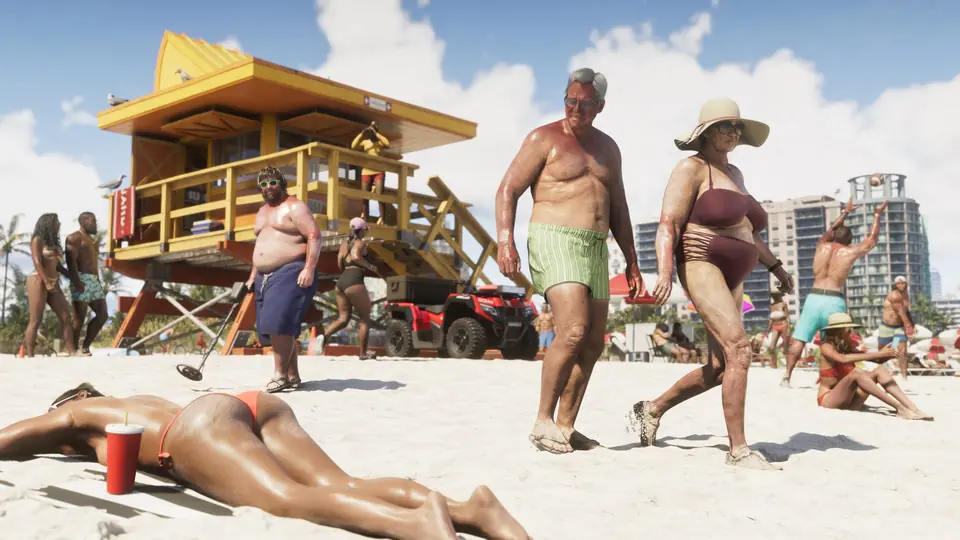
Many players ask how to make driving and aiming feel better, and how to fix stutter or HDR. This page collects the settings that players report in the first hours after launch. Each entry links to the posts and comments it comes from.
These are player tips. The wiki did not test them, and results can differ on your TV or console. Rockstar has not published a settings guide in what we have read. Use the filter to see one problem. Tick Mark as tried to keep track; your ticks stay on this device only.
6Player tip2Mixed results1No option yet4Open question
Tried: 0 of 8 (saved on this device only)
- Player tipPS5Driving
Turn off 'Adaptive Speed Limiter'
- Problem
- Your car drives very slowly in some places.
- Where
- Settings > Controller > DualSense Wireless Controller Features > Adaptive Speed Limiter: Off. The poster thinks the menu has a different name on Xbox.
- What players say
- A player says this setting is on by default and caps your speed "to basically a crawl depending on the environment". They say it almost stopped them from finishing an early story mission. One commenter likes the feature: a half trigger pull drives slowly, and a full pull drives at full speed.
Sources: r/GTAVI post · comment
- Player tipPS5Xbox Series X|SDriving
Cars feel too sensitive and spin out
- Problem
- You oversteer, crash often, or the car jumps forward when you touch the trigger.
- Where
- No single driving setting. Players change the trigger use and the stick dead zones (see Aiming).
- What players say
- Many players say driving feels very sensitive. One commenter says driving got much easier when they used the controller's trigger resistance to hold a steady speed. Another player asks for a separate, less sensitive steering setting for cars.
Sources: r/GTA6 'Driving' · trigger tip · comment
- Player tipPS5Xbox Series X|SAiming
Lower the stick dead zones
- Problem
- Aiming and steering feel slow, heavy or delayed.
- Where
- Controller settings > stick dead zones.
- What players say
- The top comment (33 upvotes) set the dead zones to 2 instead of 4 and says it "feels alot more responsive". A reply sets the right stick to 0 and the left stick to 2. Another player tried the lowest value and found driving and shooting harder. Go as low as you can before the stick drifts.
Sources: r/GTA6 post · top comment · reply · other view
- Player tipXbox Series X|SAiming
One player's full aim setup (Free Aim)
- Problem
- You want faster, more direct aiming.
- Where
- Controller settings. Targeting: Free Aim, aim assist 0.
- What players say
- Horizontal and vertical look sensitivity 14 and 11. Horizontal and vertical aim sensitivity 14 and 14. Look acceleration 14. Aim acceleration 14. Aim response curve: Precision. Stick dead zones 2 (new controller). Another commenter says Free Aim suits FPS players, and that the partial lock-on setting "starts softly pulling your reticle to people".
Sources: settings comment · Free Aim comment
- Open questionPS5Xbox Series X|SAiming
Aim still feels slow after more sensitivity
- Problem
- You raised the sensitivity, but aiming still feels heavy.
- Where
- Controller settings.
- What players say
- Several players say that higher sensitivity does not help much, and one says it feels the same "no matter what". Try the dead zone and response curve tips above. Also see the aiming entry in the known issues tracker.
Sources: r/GTA6 post · r/GTA6 post · r/GTA6 post · Guide: /glitches/known-issues
- Mixed resultsPS5Stutter and smoothness
Base PS5 stutter: turn off HDCP and clear the cache
- Problem
- The game has micro-stutters and feels choppy on a base PS5.
- Where
- HDCP: PS5 Settings > System > HDMI > Enable HDCP: Off. Cache: start the PS5 in Safe Mode (hold the power button until the second beep), then Clear Cache and Rebuild Database > Clear System Software Cache. A commenter says this does not delete games or saves.
- What players say
- The poster (193 upvotes) says both steps fixed their stutter. Several commenters say it helped, and one says HDCP off "definitely smoothened out the frame times". Another commenter says clearing the cache does nothing for in-game performance. The game still runs at 30 FPS: this does not unlock a higher frame rate.
Note: With HDCP off, video apps such as Netflix and YouTube do not play until you turn it on again.
Sources: r/GTA6 post · how-to comment · it helped · doubt · Guide: /tech/performance
- Player tipXbox Series X|SPicture and HDR
Xbox: turn off HDR10 if the in-game HDR looks wrong
- Problem
- The in-game HDR calibration does not give you good lighting.
- Where
- Xbox Settings > HDR10 toggle: Off.
- What players say
- One player says that with HDR10 on, the game's HDR calibration "won't work properly with the white balance". Turning it off helped them.
Sources: r/GTAVI post
- Open questionPS5Xbox Series X|SPicture and HDR
HDR calibration questions
- Problem
- You cannot see the logo on the max-brightness step, or you do not know if HDR must be on in the game and on the PS5.
- Where
- In-game HDR calibration.
- What players say
- Players ask both questions. We have not read a clear answer yet.
Sources: logo question · PS5 HDR question
- Mixed resultsPS5Xbox Series X|SPicture and HDR
Motion blur: off or up?
- Problem
- The picture looks smeared when you drive.
- Where
- Display settings > Motion blur.
- What players say
- One player on a non-OLED TV turned motion blur off and says driving looked clearer. The same player says the Digital Foundry review suggested a higher motion blur setting than the default. Try both.
Sources: r/GTA6 post
- Open questionPS5Xbox Series X|SPicture and HDR
Image is blurry far away
- Problem
- Things far away look soft.
- Where
- No setting found yet.
- What players say
- Players on Series X and base PS5 report a blurry image at a distance. Digital Foundry found that base PS5 and Series X render at 1440p and upscale to 4K, which can look softer. See Performance.
Sources: Series X post · base PS5 comment · Guide: /tech/performance
- No option yetPS5Xbox Series X|SCamera and HUD
The kill screen flash cannot be turned off
- Problem
- The screen flashes yellow or red when you take down an NPC.
- Where
- Visual effects settings.
- What players say
- A player says none of the visual effects options turn this flash off, unlike GTA 5 and RDR2. They say you can turn off the kill marks on the reticle.
Sources: r/GTA6 post
- Open questionPS5Xbox Series X|SCamera and HUD
In-car camera, speedometer and camera follow
- Problem
- You want a behind-the-wheel view, a speed readout, or a camera that turns with the car.
- Where
- Camera settings.
- What players say
- Players ask for all three. We have not read a clear answer yet. For first-person views, see the first-person guide.
Sources: in-car camera question · camera follow question · Guide: /tips/first-person
- Player tipPS5Cars
Keep the engine, lights and radio on when you get out
- Problem
- Everything in the car turns off when you step out.
- Where
- In the car: press Square (attack), then press Triangle (exit) at once.
- What players say
- A player (73 upvotes) says the hazards, engine, lights and radio then stay on, so you can listen to the radio outside and drive away fast.
Sources: r/GTA6 post
No setting matches this filter.
Still stuck?
If a setting does not help, look at the known issues tracker. It lists crashes, server problems and frame drops that a setting cannot fix. For frame rate and resolution on each console, see GTA 6 performance. For audio settings such as Vehicle Radio and Mute Licensed Music, and for how to turn the radio on or off, see GTA 6 radio.
- Reddit r/GTAVI: PSA: Turn off 'Adaptive Speed Limiter' in Settings - Disable the Default Setting That…
- Reddit r/GTA6: Has anyone messed with the sensitivity and aim assist settings?
- Reddit r/GTA6: If you are on base PS5 and have issues with stuttering, clear the cache and turn off…
- Reddit r/GTAVI: XBOX HDR10 TOGGLE OFF HELPS
- Reddit r/GTA6: Motion Blur?
- Reddit r/GTA6: Screen Kill Effect is annoying
- Reddit Spoiler r/GTA6: Spoiler-tagged post
- Reddit r/GTAVI: Driving
- Reddit Spoiler r/GTAVI: Spoiler-tagged post
- Reddit r/GTAVI: Aim/Sensitivity Settings
- Reddit r/GTA6: Controller sensitivity
- Reddit Spoiler r/GTAVI: Spoiler-tagged post
- Reddit r/GTAVI: Should I disable GTA 6 HDR in game menu if I already activated in ps5 settings?
- Reddit r/GTAVI: Everything is blurry as hell at a distance on Series X.
- Reddit Spoiler r/GTAVI: Spoiler-tagged post
- Reddit r/GTAVI: 1 hour in: How do I get the camera to follow my vehicle?