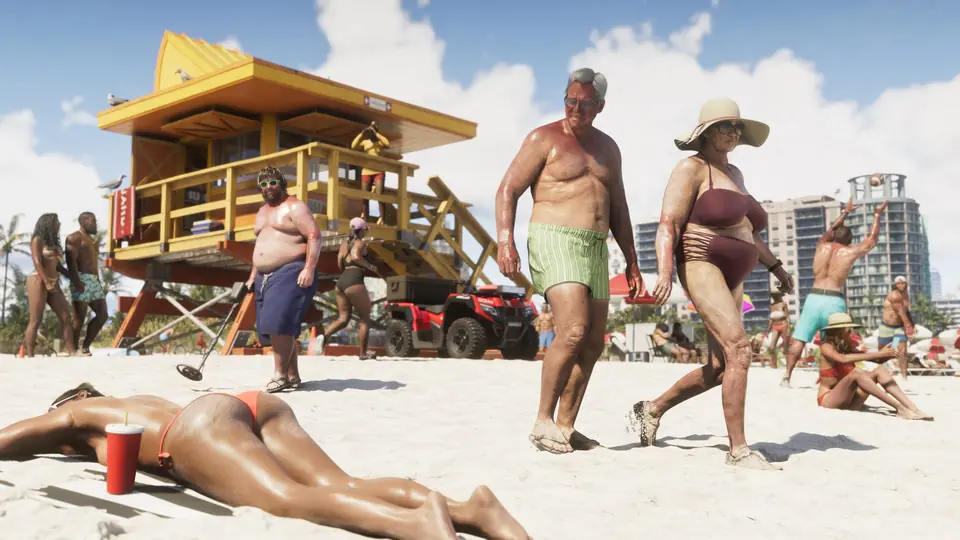
GTA 6 has many small features that the game does not explain. Since launch, players on r/GTA6 have shared them in threads such as "Does anyone know of more hidden immersive features?" (r/GTA6) and a short list of the hidden features those threads found (r/GTA6). This page collects them, with the button to press when a source gives it. Each entry has a label:
- Player clip: a player posted a video of it.
- Player tip: a player described it. Not confirmed.
- Outlet guide: a games site wrote about it.
Buttons are written the way the source wrote them, mostly for PlayStation (Circle, Square, Triangle, L2, L3, R3). On Xbox, Circle is B, Square is X and Triangle is Y. There are no story spoilers on this page.
22features9Player clip8Player tip5Outlet guide
- Player tipCars, boats and planesNov 20
Walk around a boat while it keeps driving
- What it does
- A Reddit list of hidden features says you can leave the wheel of a boat and walk around on it while the boat keeps going.
- How to do it
- Double tap Y or Triangle at the wheel (from the list).
Sources: r/GTA6 post by fromouterspace1
- Player tipCars, boats and planesNov 20
Attack with the car door
- What it does
- A Reddit list of hidden features says you can attack with half of the car door.
- How to do it
- Press Square (from the list).
Sources: r/GTA6 post by fromouterspace1
- Player clipCars, boats and planesNov 19
Auto drive: let your character drive for you
- What it does
- A player says few people know that GTA 6 has auto drive, a feature that was also in Red Dead Redemption 2. While you drive, your character can drive the car by themselves to where you want to go. A TikTok clip with 107,000 views shows it.
- How to do it
- While you drive, hold Down on the D-pad and turn on Cinematic Camera. Keep holding Down and a new auto drive prompt appears (the TikTok clip presses Circle).
Sources: TikTok clip by tyrone · r/GTAVI post by drchigero
- Outlet guideCars, boats and planesNov 19
Push a flipped car back onto its wheels
- What it does
- Kotaku says you can flip a car back over by hand. The flip can fail if the vehicle is too heavy, if you run out of stamina, or on a steep slope. The same push also moves a car with no fuel.
- How to do it
- Stand at the side of the car, click the left stick to start pushing, then hold Square or X (Kotaku).
Sources: X post by Kotaku · Wiki note: Kotaku: GTA 6 lets you push flipped cars back over and sit down…
- Player clipCars, boats and planesNov 19
Leave the engine running when you get out
- What it does
- A normal exit turns off the engine, lights, radio and hazards. A player posted a clip of a way to keep the car running, which helps for a fast getaway or to listen to the radio outside the car. Another player posted a second way.
- How to do it
- Double tap Triangle (PlayStation) or Y (Xbox) when you exit the car. Another player says: press attack (Square) and then Triangle at once.
Sources: r/GTA6 clip by NoBullet · r/GTA6 post by fromouterspace1 · r/GTA6 post by No_Owl_6986 · Wiki note: Player tip: press attack and then exit to leave a GTA 6 car with the…
- Player clipCars, boats and planesNov 18
You can use your phone while you drive (carefully)
- What it does
- IGN posted a video and says you can text and drive in GTA 6. Polygon says the phone works in first person while you drive, but the glowing screen covers much of the windshield, so crashes become likely. Polygon's advice is to pull over before you read texts.
Sources: X clip by IGN · r/GTA6 post by Final-Association-65 · X post by Polygon · Wiki note: Polygon finds that using the phone while driving in GTA 6 blocks your…

- Player clipCars, boats and planesNov 18
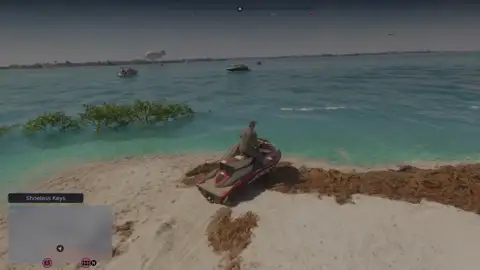
Push a stuck jet ski or boat back into the water
- What it does
- A player clip with over 3,600 upvotes shows a beached jet ski pushed back into the water. Kotaku says the same push move works on boats and jet skis stuck on the sand.
- How to do it
- Use the push move: click the left stick next to it, then hold Square or X (Kotaku).
Sources: r/GTA6 clip by OakleyNoble · X post by Kotaku · Wiki note: Player clip: you can push a jet ski back into the water · Wiki note: Kotaku: GTA 6 lets you push flipped cars back over and sit down…
- Player clipCars, boats and planesNov 18
Turn signals (indicators) work
- What it does
- A player posted a clip that shows the left and right turn signals working. The player says they only work while the car is moving; nothing happens when you are standing still. An Instagram clip also shows the turn signals and says GTA 5 did not have them.
- How to do it
- Tap left or right on the D-pad while you drive (from the clip). A Reddit list of hidden features gives Circle or Square for the blinkers.
Sources: r/GTA6 clip by kyrasilver33 · Instagram clip by lumpiadoncic · r/GTA6 post by fromouterspace1 · Wiki note: An Instagram clip shows new car controls in GTA 6: turn signals…
- Player clipCars, boats and planesNov 18
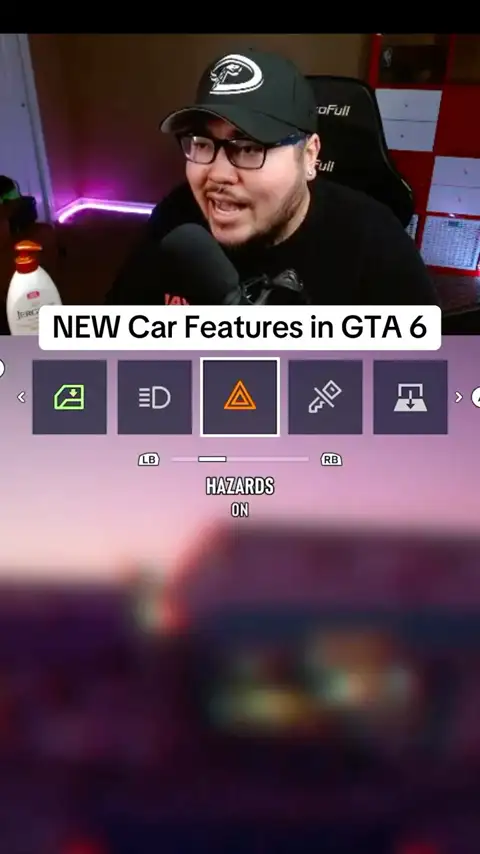
A hidden car menu: hazards, engine, windows and more
- What it does
- An Instagram clip shows a vehicle settings menu where you can turn on the hazard lights, turn the engine off and on, open the tailgate and open the windows. A Reddit list of hidden features quotes a player who says the same menu also has emergency lights and headlight brightness.
- How to do it
- Hold left on the D-pad and open vehicle settings (Instagram clip). The Reddit quote says: hold left and flick the right stick up.
Sources: Instagram clip by lumpiadoncic · r/GTA6 post by fromouterspace1 · Wiki note: An Instagram clip shows new car controls in GTA 6: turn signals…
- Player clipCars, boats and planesNov 18
You can fly the big planes at the airport
- What it does
- A TikTok clip with 2.5 million views is titled 'You can fly the planes in the airport in gta 6'. A Reddit player also says they did not know you could fly the commercial planes there. The wiki has not seen a source that explains how to get in.
Sources: TikTok clip by the_clip_poster1 · r/GTA6 post by asiannboy5 · Wiki note: Player says you can fly the commercial planes at the airport.
- Player tipOn footNov 20
Look around in first person while you stand
- What it does
- A player quoted in a Reddit list says that while you are unarmed you can switch to a first-person view. You cannot move, but you can zoom in to look at details. The wiki's first-person guide covers what else players found.
- How to do it
- While unarmed, hold L2 and click the right stick (R3).
Sources: r/GTA6 post by fromouterspace1
- Player tipOn footNov 20
Run while you smoke and drink
- What it does
- A player says you can run while you smoke a cigarette and drink a beer, and that they rode a bike with a six-pack in their arms.
Sources: r/GTAVI post by Ainteasybeincheezy
- Player tipOn footNov 20
Pick up small animals (but do not leave them in the truck)
- What it does
- A player saw a button to pick up an iguana and put it in their truck's storage. After some missions they forgot it, and it had 'spoiled', meaning it died there. The player posted it as a warning. One report, not confirmed.
Sources: r/GTAVI post by Drop_Release · Wiki note: A player reports that animals you pick up and store in your truck can…
- Outlet guideOn footNov 19
Sit down or lean almost anywhere
- What it does
- A player found that Jason can sit at a dock or lean against a wall or a car. Kotaku says Jason and Lucia sit on grass or sand and lean on a wall when they are next to one. A Reddit list adds that you can rest on railings.
- How to do it
- Hold Circle (PlayStation) or B (Xbox) on foot. For railings, the list says L3.
Sources: r/GTA6 post by WhoElseButQuagmire11 · X post by Kotaku · r/GTA6 post by fromouterspace1 · Wiki note: Kotaku: GTA 6 lets you push flipped cars back over and sit down…
- Player tipPhone and radioNov 19
There is no number pad to dial 911
- What it does
- A player says the phone shows only contacts and has no number pad, so they could not call 911 as in GTA V. Another player asked how to call emergency services. Rockstar has not said if an option unlocks later.
Sources: r/GTAVI post by UselessDoorHinge3 · r/GTA6 post by Greedy-Try-8549 · Wiki note: A player reports the GTA 6 phone has no number pad, so you cannot…
- Player clipPhone and radioNov 18
Your partner sends you videos and photos
- What it does
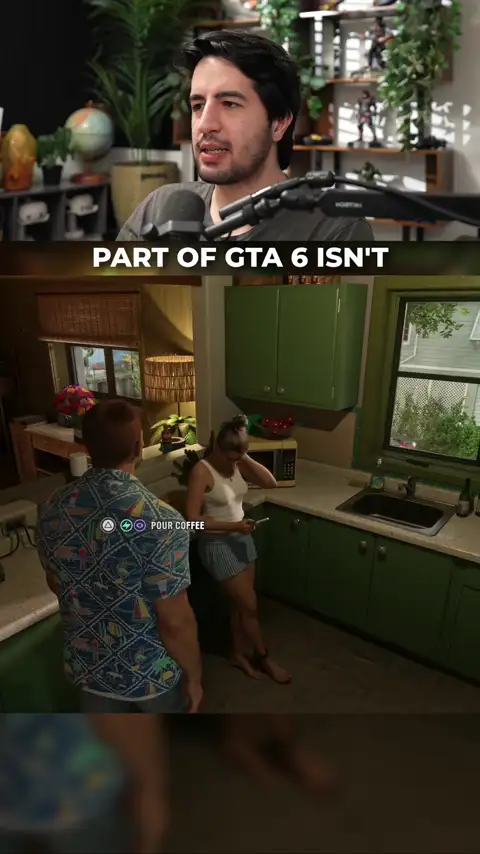
- A TikTok creator says your partner sends you funny videos on the in-game social app, and you can watch them, like them and text back. She also sends photos from work, and you can react to her messages.
Sources: TikTok clip by farzamplays · Wiki note: A TikTok clip shows the partner texting system in GTA 6: she sends…
- Outlet guidePhone and radioNov 18
Buy headphones to hear the radio all the time
- What it does
- IGN says the radio does not play at all times by default. To listen everywhere, buy a pair of headphones in an in-game store. IGN advises doing this early. IGN did not say which store or the price.
Sources: X post by IGN · Wiki note: IGN tip: buy headphones at an in-game store to hear GTA 6 radio at…
- Player clipPhone and radioNov 18
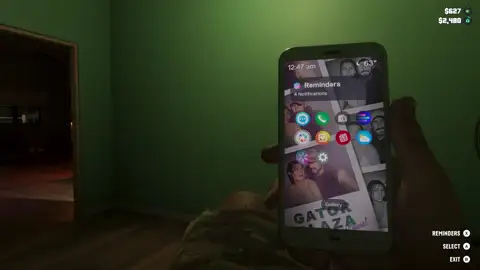
Scroll social media, news and weather on your phone
- What it does
- A clip with over 6,600 upvotes shows the in-game phone. The player says you can scroll social media, look at profiles, read comments and texts, and check the news and weather.
Sources: r/GTA6 clip by Bobaaganoosh · Wiki note: The in-game phone lets you scroll social media, read comments, texts…
- Outlet guidePhone and radioNov 18
The police chatter comes from a scanner app
- What it does
- Kotaku says a friend installs a homebrew police scanner app on Jason's phone early in the game, and Lucia has the same app. Jason and Lucia know when the police report their car or clothes, and they talk about it in chases.
Sources: X post by Kotaku · Wiki note: Kotaku: GTA 6 explains why you hear police radio chatter: a scanner…
- Player tipSaving, settings and travelNov 20
Lower 'follow speed' if the game feels slow
- What it does
- A player says GTA 6 felt very slow until they found the 'follow speed' setting was at 10 for walking and driving. They turned it down to 1 or 2 and say the game felt very different and closer to earlier GTA games. They also say a faster default walk speed helps.
- How to do it
- Open the settings, find 'follow speed' and set it to 1 or 2 (the player's values).
Sources: r/GTAVI post by DrNK12
- Outlet guideSaving, settings and travelNov 18
Public transit is the cheapest fast travel
- What it does
- GameSpot says trains and buses are the cheapest way to fast travel. They run on a schedule, so a ride can be late or canceled.
Sources: X clip by GameSpot · Wiki note: GameSpot: public transit is the cheapest fast travel in GTA 6, but…

- Player tipSaving, settings and travelNov 18
Save by hand: a power cut can cost you hours
- What it does
- A player lost about two hours of progress when the power went out, and says the game had not autosaved. Another player could not find a setting to turn autosave off, but says you can save by hand when you are not on a mission.
Sources: r/GTA6 post by DrinkingBuddy22 · r/GTA6 post by SmashLampjaw87
No feature matches this filter.
Know another one?#
Post it in the r/GTA6 thread on hidden immersive features. New tips the wiki collects are added here. For the settings players change first, see best settings. For more on the camera, see the first-person guide.
FAQ#
- Does GTA 6 have turn signals? Yes. A player clip shows them working when you tap left or right on the D-pad while the car moves.
- Can you auto drive in GTA 6? Yes. Players say you hold Down on the D-pad while you drive, turn on Cinematic Camera, and then pick the auto drive prompt.
- How do you keep the engine running in GTA 6? Players say you double tap Triangle or Y when you get out of the car.
- How do you flip a car back over in GTA 6? Kotaku says you stand at its side, click the left stick and hold Square or X.
- How do you sit down in GTA 6? Hold Circle or B on foot. Jason and Lucia sit or lean against what is next to them.
- Reddit r/GTA6: How to use your indicators
- Instagram @lumpiadoncic: NEW car features in GTA 6 🤣 small details matter man #gta6 #gta
- Reddit r/GTA6: Made a short list of most hidden features mentioned in a few threads today.
- Reddit Spoiler r/GTA6: Spoiler-tagged post
- Reddit r/GTA6: Tips on car turning off
- TikTok @tyrone: How to auto drive in GTA 6
- Reddit r/GTAVI: Gameplay Tip I've never seen posted.
- X @Kotaku: Two Cool, Hidden Features GTA 6 Doesn’t Explain: Flipping And Sitting
- Reddit r/GTA6: You can push a jet ski back into the water
- TikTok @the_clip_poster1: You can fly the planes in the airport in gta 6🔥🙌||gta 6||typical gamer||#gta6…
- Reddit r/GTA6: Didn’t know you could actually fly the commercial planes at the airport
- X @IGN: Please do not text and drive in real life, but you can do it in GTA 6 if you want!
- Reddit Spoiler r/GTA6: Spoiler-tagged post
- X @Polygon: GTA 6 Shows Why You Should Never, Ever, Ever Text and Drive (Ever)
- Reddit r/GTA6: You can hold O/B to rest/sit down/look cool against a wall/car.
- Reddit r/GTAVI: You can run while smoking a cigarette & drinking a beer
- Reddit r/GTAVI: FYI GTA VI allows you to store some animals in your truck!
- Reddit r/GTA6: I was about to put Jason to sleep when I realized you can legit doom scroll on your…
- TikTok @farzamplays: They put so much effort in the relationship aspect #gtavi #gta6 #GamingOnTikTok
- X @Kotaku: GTA 6 Finally Explains Why You Can Hear The Police Radio Chatter
- X @IGN: Just a heads up that if you want to listen to GTA 6's radio stations at all times, you'll…
- Reddit r/GTAVI: We can’t call 911 anymore?
- Reddit r/GTA6: How do I call emergency services? 911? in GTA 6?
- Reddit r/GTAVI: Huge gameplay setting change for QOL imo
- Reddit r/GTA6: PSA: Save your game
- Reddit Spoiler r/GTA6: Spoiler-tagged post
- X @GameSpot: The cheapest fast travel option in GTA 6 is public transit, but trains and buses operate…
- Reddit Spoiler r/GTA6: Spoiler-tagged post