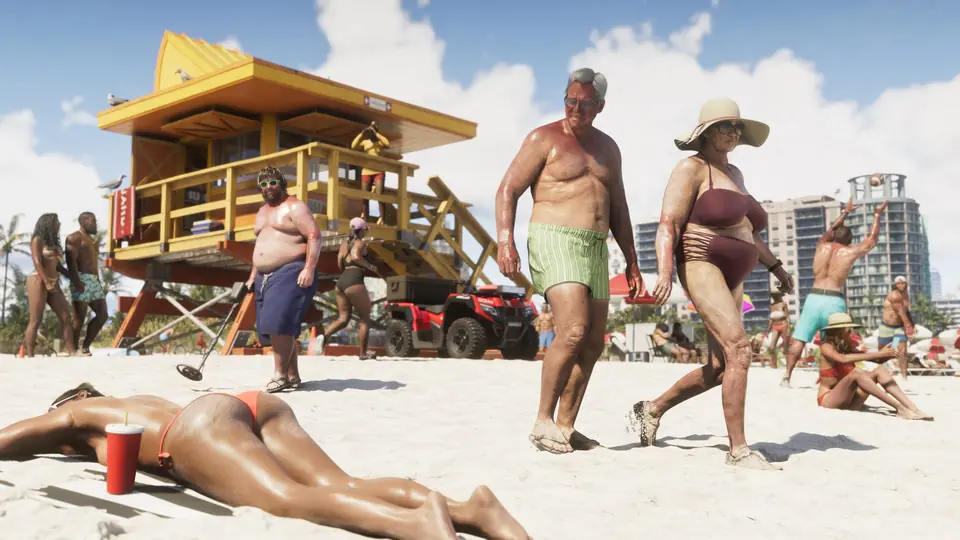
GTA 6 blurry on foot? Camera distance 3 cuts depth of field
YouTuber Danial ZH says GTA 6 can look blurry on foot because the game has no option to reduce depth of field. In his video, recorded on PS5 Pro in 4K, he calls the blur an artistic choice and not a game problem. His fix is to hold D-pad down and press Square to set the camera to distance 3, which makes near and mid-range objects sharper.
He says the effect is strongest at night and smaller in daytime. He also says the blur is lower in a vehicle, so the fix matters most on foot.
Key points
Hold D-pad down and press Square to pick camera distance 3
Distance 3 gives the sharpest picture on foot, per his tests
Biggest difference is at night; little change in daytime
Depth of field is already lower while driving
There is no menu setting to turn depth of field down
If Your GTA VI Look Blurry, this is the best thing you can do to fix it and make it sharper on PS5, PS5 Pro and Xbox. This setting reduces depth of field and makes longer distance objects sharper, especially at night. Check How to Make Controller Faster: https://youtu.be/sqHPgYMgd7c Support me on YouTube? https://www.youtube.com/channel/UCzoK1582e2w41kUG0MnUOzw/join Discord Server: https://discord.com/invite/ykkWZGrV29 Telegram Channel: https://t.me/Danielzh1 WhatsApp Channel: https://whatsapp.com/channel/0029Vac4fnXIHphQH9b2TI3l Hashtags: #GTAVI #GTA6 #ps5
Quoted from the source post.
YouTube3:52
Image: video still, Danial ZH on YouTube
Read transcriptHide transcript
[0:00] I’m pretty sure most of you noticed that in
some specific situations, the game looks blurry,
[0:06] if you’re on a specific distance in GTA
6, you may see things aren’t sharp, even
[0:12] in first person camera mode, but as soon as you
get to a specific location, that becomes sharper,
[0:18] and it’s mainly due to limitations of not
having an option to reduce depth of field.
[0:24] This effect becomes even stronger when
it’s night, and that’s on propose,
[0:29] I know it looks beautiful to eyes, but sometimes
we just wanna walk and see everything in focus and
[0:36] sharp, for example even this house which is very
close to me, unless I interact with first person
[0:42] camera mode, it won’t be sharp at this distance,
or my car down here, it won’t be sharp at all, now
[0:50] there’s a way to make it much sharper which I’ll
show you soon, and as you can see, the game itself
[0:55] is very high quality and very sharp especially
in this video which is recorded on PS5 Pro on 4K,
[1:02] so this is not a game problem, but rather an
artistic choice, as soon as you get in the car,
[1:08] the focal length and aperture increases,
so it’s not as bad as when you’re on foot.
[1:14] Again, if you have a close look here, you
notice even this sign which is pretty much
[1:18] close to me looks blurry, but once in first
person mode, you can see it is very sharp,
[1:25] I like the look of this effect,
but not being able to reduce or
[1:29] change it really bothers me and some of
you if you decided to watch this video.
[1:33] It's not about how far it is or how big
the object is, it’s mostly fixed, I guess.
[1:40] Now the simple way to fix it is to hold D-Pad down
button, and change camera mode by pressing Square,
[1:47] to distance 3, I’m sure many of you didn’t
pay attention, but as soon as you do this,
[1:53] everything becomes sharper, the depth of field
decreases, of course not for very far distances,
[2:01] but for something like this sign or things
that aren’t very far, you can see the real
[2:07] difference here and the sharpest picture
you can get is when you set the camera to 3.
[2:13] But is it effective when
you’re driving too or not?
[2:16] Actually when you are driving, the depth of
field is lower, you can normally see things
[2:21] at a higher distance, the moment you step out of
the car you notice the depth of field increases,
[2:28] take this 69 sign as an example, on foot
from here it’s sharper on camera 3 but
[2:35] much more blurry on camera 1, but once we
get in the car and try to look at it from
[2:42] relatively similar location, you’d notice
that it looks sharp enough even on camera 1.
[2:47] In general, when you’re in a vehicle
you’re probably less likely to use it,
[2:52] but when you’re on foot, you could use camera 3
for a higher aperture, specially at night, and
[2:57] there’s a huge reason for that, because based on
multiple tests I made, it’s mostly effective at
[3:03] night and less when it’s day, take this place
as an example, as you see even on camera 1
[3:09] trees are sharp, almost the same as camera
mode, I don’t see a significant difference,
[3:15] but since I’m a night life person, even
in real life, I got so bothered by the
[3:20] amount of depth of field in the game. That’s
why I tried my best to find a fix for it.
[3:26] By the way I was working on HDR
video and I suddenly got into this,
[3:30] so subscribe to not miss upcoming videos but
if you feel the game is slow and unresponsive,
[3:36] you can watch my previous video on the
end screen and apply some settings that
[3:41] help with lowering controller delay. If you
watched to the end, comment I’m BATMAN and
[3:46] I will give you a thumbs up, and let me know
what you like to see first in the next video.